Featured Post

Solar System Scope: See the solar system in 3D

What it is: Well, yesterday set me off on a space kick.  Today I spent time with the Solar System Scope site, talk about a COOL way to view the solar system!  Solar System Scope (SSS) is a 3D real-time look at celestial positions with planets and constellations in the night sky.  Students...

Read More

Physics Central: Nikola Tesla and the Electric Fair

Posted by admin | Posted in Analyze, Apply, Download, Evaluate, Interactive book, Middle/High School, Science, Secondary Elementary, Teacher Resources, Understand (describe, explain), Websites | Posted on 09-01-2013

Tags: , , , , , , , , , , , , , , , , , , , , ,

0

What it is: Physics Central is a fantastic website full of…you guessed it, physics! There are fantastic sections for students to explore science, activity books, experiments and activities.  Students can learn more about physics in action (physics as found in the world around us), meet physicists, and learn about physics research.  Physics Central will ignite a students curiosity in: sound, electricity and magnetism, force and motion, light and optics, material science, quantum mechanics, space and the universe, and thermodynamics and heat.  My favorite find on Physics Central so far (I’m sure there will be many more favorites the longer I explore) is the Nikola Tesla and the Electric Fair section.  Here, students will find a downloadable kit that includes a manual, comic book, and four related activities.

How to integrate Physics Central into the classroom: Physics has always been among my favorite sciences.  There is something about it that is fascinating to me. Physics Central is packed full of great resources to enrich your classroom.  The comics are a fun way to learn about famous scientists, inventors and events in science history.  The complementing activities bring the comics to life and invite students along on the journey of discovery.

Work with your students on a “PhysicsQuest” like Nikola Tesla and the Electric Fair and see what they come up with. Compare their results with the actual solutions (posted on the site).  Join the current PhysicsQuest with your students to help students recognize the fun and relevance of science.  You can register now for the Spectra: Turbulent Times quest.

Tips: Start a PhysicsQuest with your students, as an after school club, or as a home extension investigation.

Leave a comment and tell us how you are using  Physics Central in your classroom.

Algebra Lab

Posted by admin | Posted in Apply, Knowledge (remember), Math, Middle/High School, Science, Teacher Resources, Understand (describe, explain), Websites | Posted on 01-10-2012

Tags: , , , , , , ,

0

What it is:  Algebra Lab may not be much to look at graphically speaking, but the resources here are pretty stupendous!  Algebra Lab was created by Mainland High School teachers in partnership with Georgia Southern University and a host of student assistance.  The site includes really well done lessons, activities, practice pages (online), study aids, glossary, and word problems.  Algebra Lab is like a free, living textbook.  It has enough substance to help students work their way through algebra, while understanding the connections to how that algebra is used in a practical sense.  I didn’t appreciate Algebra until I took physics and chemistry.  When I saw what those equations I learned were actually used for, I could appreciate the learning requirements in algebra.  Algebra Lab does a beautiful job of helping students learn algebra within a context so that they really get a grasp of what these numbers are doing.

How to integrate Algebra Lab into your curriculum: I have enjoyed watching the debate over Algebra unfold in the last year or so.  One side of the argument asks if it is really necessary that EVERY child be required to take algebra.  The other side argues that algebra has great thinking skills that it develops, it gives students additional tools to understand the world through math.  I’m not sure where I land on this debate.  I don’t know that I believe that algebra should be a requirement for every child, and yet I think that my exposure to algebra was valuable.  Maybe the debate just needs to be reframed…HOW should algebra be taught?  I’m all for things being taught within context.  If you can teach any subject in a way that sheds light on other learning it is valuable.  I love when students make the connections between something like ratios and a site like Miniature Earth.  They not only get excited about the math (yes, really) they see a purpose for wanting to learn more about how it works.  Sometimes I think our job of teachers is really to help students see the overlaps that occur in learning so that they can make connections and have a cause to want to dig deeper.

I digress…

Algebra Lab is a great resource for math (and non-math) teachers.  Here you will find lessons, activities, word problems and practice opportunities for students.  Students can directly access the site, or you (the teacher) can pull ideas out to use within any other teaching you are doing.  The site is great for students to explore on their own (blended learning algebra style) or with guidance from a teacher.  As a non-math teacher, I appreciate the way the site helps me think like a math teacher.  It reminds me how all of these pieces connect to other learning.

Tips: If you have a one-to-one setting, students can practice directly on the website for immediate feedback.  Very helpful!

***Want to do your part as a CHANGE MAKER in personalized education?  Check out, support and spread the word about the Learning Genome Project!

Please leave a comment and share how you are using Algebra Lab in your classroom!

The Physics Classroom

Posted by admin | Posted in Interactive book, Interactive Whiteboard, Knowledge (remember), Middle/High School, Science, Teacher Resources, Understand (describe, explain), Websites | Posted on 23-07-2012

Tags: , , , , , , , , ,

1

What it is:  Today I learned about this impressive resource from @ccscoachadams on Twitter.  The Physics Classroom is a really great place where you can access physics tutorials, Mind on Physics Internet Modules (more than 1300 questions designed to improve understanding of common physics topics), problem sets for practice, multimedia (illustrated physics concepts), animations and activity sheets, curriculum corner (pdf downloads to complement the website), laboratories, photos, and more.  The site is like a better version of the text books that I had when I was in physics.  What I like about The Physics Classroom is the variety of resources that teachers can use to help their students discover and explore physics concepts.  The student extras that take you to Flickr collections of “physics” photos is fantastic!

How to integrate The Physics Classroom into your curriculum: I’m not sure I would have my students spend a lot of time on this site on their own (it is very text heavy and they may feel overwhelmed at the scope).  I would send my students to very specific places on The Physics Classroom to help them dig deeper into their learning and make connections.  As I said above, the Flickr sets are fabulous.  These are worth some time exploring!

The animations and information can be used to help students understand specific concepts that they are struggling to grasp.  These could be shared on an interactive whiteboard or projector-connected computer.

The Physics Classroom could be used to help students extend their learning and understanding outside of the classroom.  Students can use the site as a study aid or to dig deeper for additional understandings.

At the end of the day, this site is a treasure trove of resources for physics classrooms.

Tips: Spend some time exploring this site before recommending it to students so that you can help them navigate it.  It is SO information heavy that it could be a turn-off for students who are just dropping in looking for something specific.

Please leave a comment and share how you are using The Physics Classroom in your classroom!

On Demand Learning: Classroom Optional (Khan Academy and Academic Earth)

Posted by admin | Posted in Knowledge (remember), Middle/High School, Secondary Elementary, Subject, Teacher Resources, Understand (describe, explain), video, Video Tutorials | Posted on 16-03-2011

Tags: , , , , , , , , , , , , , , , , , , , , , , , , , , , , , , , , , , , , , , ,

9

What it is: Tonight I was talking education with a fun group that is helping me think through my school design.  As we were talking one of the participants mentioned Khan Academy…some of the teachers in attendance had never heard of it.  I sometimes forget that not everything is common knowledge and even if it is common knowledge to most, there are still those who can benefit from the mention!  Khan Academy was started by Salman Khan quite by accident.  He tutored his cousins in math and when he moved away from them, they still requested support.  Sal began making algebra videos and uploading them to YouTube for his family, it has grown to over 2,100 videos and 100 self-paced math, science, and history exercises for students.  The library is extensive and comprehensive including algebra, arithmetic, banking and money, biology, brain teasers, calculus, California standards algebra, geometry, chemistry, cosmology and astronomy, credit crisis, current economics, developmental math, differential equations, finance, history, linear algebra, organic chemistry, Paulson bailout, physics, pre-algebra, pre-calculus, probability, statistics, trigonometry, valuation and investing, venture capital, and capital markets.  It is a pretty impressive collection!  I really like these videos because they provide students with on-demand learning and present the learning in a way that appeals to the visual and auditory learner.  The experience is so much richer than a textbook can offer. It is like having your own personal tutor.

Academic Earth is another extensive video library that lets students (and adults) take video courses from the worlds top scholars all in one place…for free!  The mission of Academic Earth is to give everyone access to a world class education.  Subjects covered by Academic Earth include art, architecture, astronomy, biology, business, chemistry, computer science, economics, education, electrical engineering, engineering, entrepreneurship, environmental studies, history, international relations, law, literature, mathematics, media studies, medicine and health care, philosophy, physics, political science, psychology, religious studies, test prep, and writing.  Students have access to the learning happening at Berkley, Columbia, Harvard, Khan Academy, Maryland, Michigan, MIT, Norwich, NYU, Princeton, Stanford, UCLA, UNSW, USC, and Yale.  Did I mention all of that learning is free?  I know, amazing!

How to integrate Khan Academy and Academic Earth into the classroom: Both Khan Academy and Academic Earth provide students with opportunities for on-demand learning in their areas of interest or their areas of weakness.  Students can use these resources to support the learning happening in the classroom and to fill any gaps that students may have in their learning.  Video is a powerful medium because it appeals to a wide range of learners and makes it easy to pause, rewind, review, and share that learning.

Khan Academy would be a great tool to use for the “Fisch Flip” where the homework is to watch the lesson on video and class time is spent on working through the problems together.  Let that sink in…makes more sense doesn’t it? Students get support where they need it most, in the follow through and practice of the learning.

Academic Earth provides students with the opportunity of pursuing their passions, getting a feel for what type of study they would like to pursue in a university, and support learning.

Do you have students that could use additional challenge and are constantly searching for more learning? Set up an extended learning center in your classroom where students who need that challenge can self direct and extend their learning by using Khan Academy or Academic Earth.

Tips: Khan Academy is a great resource to pass on to families, parents are often looking for ways to supplement and support the learning happening in the classroom.  Math in particular is a challenge as many parents did not feel successful enough in higher math themselves to help their children.

Please leave a comment and share how you are using Khan Academy and Academic Earth in your classroom!

Science Fix: Video demos and experiments

Posted by admin | Posted in Analyze, Evaluate, Middle/High School, Science, Teacher Resources, Understand (describe, explain), video | Posted on 16-02-2011

Tags: , , , , , , , , , , ,

1

What it is: Science Fix is a fantastic video blog that I learned about from my friend and PLN colleague Kyle Pace. The videos are all recorded science experiments and demos from middle school science teacher Darren Fix.  The majority of the videos are chemistry related but there is also some good physics videos in there as well.  The videos are hosted on YouTube so if you don’t have access, you may have to use one of those tricky ways to download and save from home. (See Tips below for ways to do that.)

How to integrate Science Fix into the classroom: Science Fix is a great place to find demos and science experiment videos to share with your students. These videos will help your students better visualize and understand the concepts that they are learning in your class.  We don’t all have robust resource budgets, sometimes we have to pick and choose what we will be able to demo for our class live. These videos are a big help in bringing those experiments to our classrooms when budgets don’t allow us to do it live.  There are great descriptions and additional links and resources along with each video.

Tips: For those of you who don’t have access to YouTube in your building, you can still use these awesome videos in your classrooms with a little bit of pre-planning.  Download and save YouTube videos so that you can show them at school without accessing the YouTube site. UseKeepVidYouTube DownloaderHDKick YouTubeSaveVid, or Zamzar.  Some of these tools will even let you download at school if you know the YouTube url.  The downloaded video should have no trouble playing at school!

You can follow ScienceFix on Twitter here.

Please leave a comment and share how you are using Science Fix in your classroom!

Felicity from Thin Air: Inviting creativity, imagination, and play in the classroom

Posted by admin | Posted in Art, Character Education, Create, Fun & Games, inspiration, iPod, Language Arts, Math, Primary Elementary, Science, Secondary Elementary, Teacher Resources, Web2.0, Websites | Posted on 17-12-2010

Tags: , , , , , , , , , , , , , , , , , , ,

2

The following is a re-post from my other blog: iPad Curriculum.  I shared Send Felicity a few weeks ago as part of my advent collection but thought I would give everyone a little more information about this incredible site and invitation for play.  Even though Send Felicity has an iPhone/iPod Touch app, the app isn’t necessary to engage in the creative play which is also available on the Send Felicity website and Facebook page.  I encourage you to offer your students opportunities for play.  I deeply believe that play is a strong catalyst for learning.

Application/website: Send Felicity

What it is: Everyone could use a little more magic and enchantment in their lives and Send Felicity brings students (and teachers/families) just that.  Take a look at the video below to watch some of that magic unfold.

Felicity is six and three-quarters years old.  She loves imagination, making things, and magic.  She comes from a magical place called Thin Air. Felicity invites children everywhere to join her in play.  Every day there is a new special surprise waiting for children.  Each surprise invites students to engage in creativity, play, imagination, and learning.  It is an enchanting-ongoing place that involves technology, imagination, and the real world in new ways.  The artists, geeks, and minds behind Felicity are deeply committed to keeping the childhood experience one of magic, imagination, and exploration.  They bring these values to life beautifully as an application, website, and social experience.  What I love about the Send Felicity experience is the storyline behind Felicity, and the invitation to be part of something that is engaging, meaningful, and magical.  The combination of the three makes Send Felicity a unique learning and interactive experience.  So, how does Send Felicity work?  Children can visit the application or website to learn of a new craft (adventure) to take with Felicity.  Felicity takes every day objects like paper plates and makes them magical.  Children follow the adventures and create and pretend along with Felicity.  Children can take pictures of their finished masterpieces and upload them to the Send Felicity website, sharing the creative experience with others.  The application is truly unique and takes what is real and adds a bit of magic (as you saw in the video).

How Send Felicity can enrich learning: Play is an important part of learning. It provides the building blocks for self-regulation and executive functions, promotes creativity, imagination, and divergent thinking.  Unfortunately play is often stripped from the classroom.  Send Felicity weaves together a wonderful tapestry of play and learning in the form of an application, a website, and a social movement.  Felicity uses open-ended play and experimentation that leads to an attitude of fun learning.  Felicity helps your students turn ordinary objects into creative works of magic.  Use Felicity’s daily dose of magic to spark your students imaginations.  Set aside some time for your students to do a little creative play.  The benefits that play has on the rest of the learning day will be well worth the time invested.   Go beyond the crafts and invite your students to write stories, poems, or secret letters in connection with the imaginative play of the day.   Activities for Felicity are open-ended and include art, language arts, literacy, and even math and physics.   Send Felicity marries technology and real life in new fun ways.  The application is just a piece of the bigger picture.  The application takes students physical creation and adds a little magic to it.

Send Felicity is really an app all about engagement of the mind.  As an example, one of my personal favorite Sending Felicity projects Beautiful Oops:

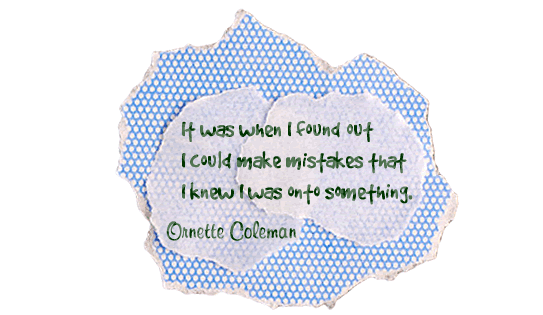
Today we are boldly making mistakes.Today, our children will make a small mess.

Today, we’ll set out on an adventure and begin with an “oops” and end up in a place where we can look and wonder. Together, we can do something mistaken and wrong; and audacious and wonderful to surprise everyone.

This project shows children that it is okay to make mistakes, and that, in fact, those mistakes can be turned into something wonderful, new, and meaningful.  Students don’t hear often enough that it is okay to make mistakes and that it is indeed an important part of the learning process.  Take a look at what these beautiful oops turn into:

The Send Felicity App has not yet been released to the iTunes store, but don’t let that stop you from using Felicity in your classroom right now, the Send Felicity website is full of fun activities, instructions, and even a bit of magic.  You can also check Felicity out on Facebook where she shares creations made by children from around the world!  Send your students home with a wonderful gift this holiday season and point them toward the Send Felicity website. Students will love the opportunities for play and imaginations, parents will love the ideas to keep their kids learning and playing.  Let parents know about Send Felicity along with this article from Geek Mom for a little explanation.

The wonderful people over at Send Felicity are so passionate about creating a world of wonder and imagination for children to play in that they have made the technology that Send Felicity is based on open source.  Interested parents, educators, and developers are invited to sign up to play along with them.

Devices: Compatible with iPhone, iPod touch iOS 3.1.3 or later

Price: Free!

Game for Science

Posted by admin | Posted in Interactive Whiteboard, Middle/High School, Science, Secondary Elementary, Teacher Resources, video, Web2.0, Websites | Posted on 23-04-2010

Tags: , , , , , , , , , , ,

4

Picture 1

What it is: Game for Science has to be one of the coolest virtual worlds for kids.  This virtual world is dedicated to getting kids excited about science and technology.  Students can explore various virtual islands where they will learn about health, aeronautics, genomics, environment, engineering and more.  Students can learn more about science careers, what scientists do, play games, learn interesting facts, and explore science photos and videos.  Students can play the Game for Science as a tourist without registering, or they can register for an account (this requires an email address with confirmation).  This is an outstanding way for kids to get excited about science and technology.  As students travel through the virtual world, they can collect neurons (smart stars) by answering questions and playing games.  The neurons can be used to purchase items for their avatar.

screenshots_sej_genomia-1

How to integrate Game for Science into the classroom: Game for Science is a great way to introduce new science topics or areas of science.  The virtual world will capture interest and keep students wanting to learn more about each topic.  If you teach younger students (without email addresses), visit the virtual world as a class on the interactive whiteboard or the projector.  Give each student a turn to direct the journey through Game for Science.  The rest of the class can jot down observations in a science notebook that can be used in later learning and experiments.  Students who can read independently can visit the site individually on classroom computers as a science center or in a computer lab setting.  Older students can register for an account and earn neuron points for their characters.  This is a fun site for students just to explore and interact with; however, for use in the classroom, you can direct students to specific islands to study.  For example, as you begin a unit on the environment, students can visit the corresponding island.  Game for Science makes for a great jumping off point that will grab students attention and interest in the subject they will be learning about.

Tips: There is a chat feature on the registered version of Game for Science, this allows students to interact as they discover new islands and talk science.

Please leave a comment and share how you are using Game for Science in your classroom.

NBC Olympics: Science of the Olympics

Posted by admin | Posted in Middle/High School, Primary Elementary, Science, Secondary Elementary, Teacher Resources, video, Video Tutorials, Websites | Posted on 11-02-2010

Tags: , , , , , , , , , , , ,

14

Picture 6

What it is: The winter Olympics start tomorrow and students around the world will be watching and rooting on their favorite Olympian, sport, or country.  The Olympics offers some fun new learning opportunities to the classroom.  Olympic Science is one such opportunity.  NBC has several Olympic science videos in which students can learn about physics, motion, energy, biology, chemistry and math.  Videos include Slapshot Physics, Aerial Physics, Figure Skating, Snowboarding, Alpine Skiing, Skates, Mathletes, Bobsled, Motion Inside the Body, Short Track, Modern Skis, Suit Up, Curling, Ski Jumping, Safety Gear, and The Internal Athlete.  These videos walk students through the actual science that is taking place in the winter games.

How to integrate NBC Olympics- Olympic Science into the classroom: My students are always shocked to learn that there is a lot of math and science in athletics.  These videos show students exactly how closely science and math are entwined in everyday life.  Olympic Science videos are for students who are forever asking the question “how am I going to use this?” (and shouldn’t they all be asking this!).  In the bottom right hand corner of the Olympic Science site you will find more science data.  These are quick facts about the science in the sport.   I really enjoy using video in the classroom, students can watch, rewind, pause, and re-think the concepts they are seeing.  Combine the Olympic Science site with a Wallwisher where students describe the science in the sport, or create a Wordle with new science vocabulary that students learned.

Tips: The Science of the Olympic Games was produced by NBCLearn, part of NBC News that brings news, events, and issues into the classroom.  There is a great video collection that includes Word Roots (an animated series that explores the roots of English words), Common Errors in English Usage (animated videos that uncover common errors in English grammar and usage), and Mini Documentaries (hundreds of 2-6 minute documentaries on American history, economics, culture, and political cartoons).

Please leave a comment and share how you are using NBC Olympics-Olympic Science in your classroom.

HippoCampus

Posted by admin | Posted in Geography, History, Interactive book, Language Arts, Math, Middle/High School, Open Source, Science, Secondary Elementary, Social Studies, Teacher Resources, Video Tutorials, web tools, Websites | Posted on 22-10-2009

Tags: , , , , , , , , , , , , , , , , , ,

0

logo

What it is: HippoCampus is a website with incredible vision.  The goal is to provide high-quality multimedia content on general subjects to high school and college students free of charge.  Subjects on HippoCampus include algebra, American government, biology, calculus, environmental science, physics, psychology, religions, statistics, and US history.  Each of the subject has a large library of multimedia content from students to learn from.  HippoCampus was designed as part of the Open Education Resources, a worldwide effort to make education available equitably to everyone.  Each lesson includes multimedia lessons, the text of the lesson, and related resources.  I believe the HippoCampus model will be the textbook of the future.  Students are able to learn at their own pace, pausing, reviewing, and receiving instruction on demand.

How to integrate Hippo Campus into the classroom: HippoCampus has an incredible library of content for teaching and learning.  Use the multimedia lessons in place of traditional textbooks or as a supplement to your current curriculum. Teachers can build their own HippoCampus homepage where students can access specific lessons targeted for them.  You can even create custom announcements to be displayed to students.   Although HippoCampus was designed with high school and college students in mind, many of the multimedia presentations could be used to teach middle school students as well.

Tips: HippoCampus uses Adobe Flash and QuickTime.  Make sure that you have each on your computers before using HippoCampus.

Leave a comment and tell us how you are using HippoCampus in your classroom.

Physics Games

Posted by admin | Posted in Fun & Games, Middle/High School, Primary Elementary, Science, Secondary Elementary, Websites | Posted on 17-03-2009

Tags: , , , , , , , ,

2


What it is:   Physics Games is a collection of fun online physics based games.  There are 57 physics inspired games in the collection that can be played on the website or embedded on a classroom website, blog, or wiki.  These games are great for any age, younger students will learn through exploration, trial, and error while older students will be able to understand the physics concepts behind the games.

How to integrate Physics Games into the classroom:  Physics Games is a great interactive site to use in the science classroom.  It encourages students to start exploring concepts such as energy, force, velocity, gravity, etc.  Younger students can interact with the games successfully even without the background knowledge.  Each of the games encourages trial and error learning.  Older students can play games and write about the physics concepts that the game introduces and explore the ‘accuracy’ of the game to display the physics concept. If you have a class website, blog, or wiki, these games would be fun to embed in your site for easy access.


Tips:  I learned about Physics Games from a Tweet and blog post by Mr. Byrne who writes Free Technology for Teachers.


Leave a comment and tell us how you are using Physics Games  in your classroom.